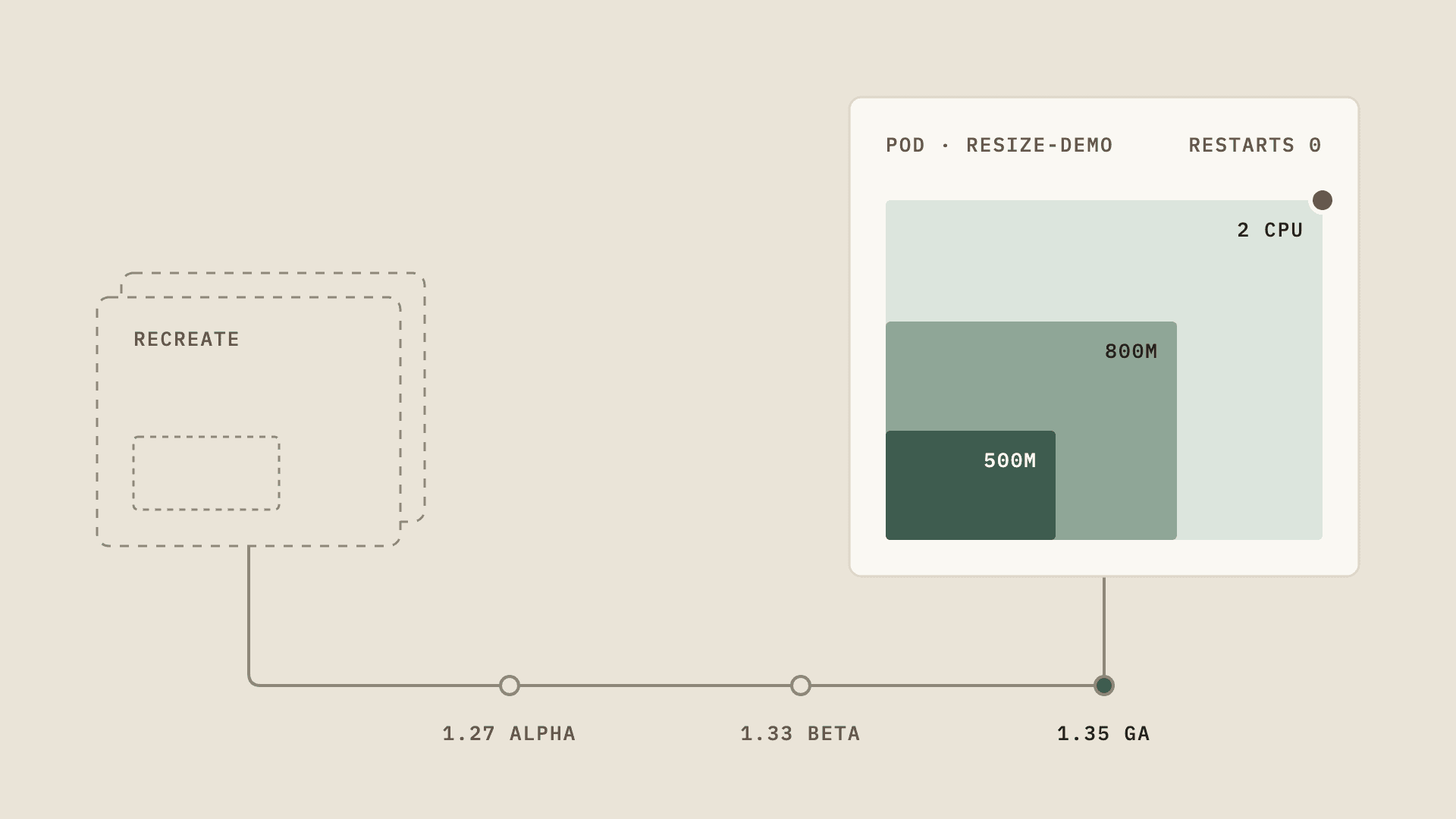
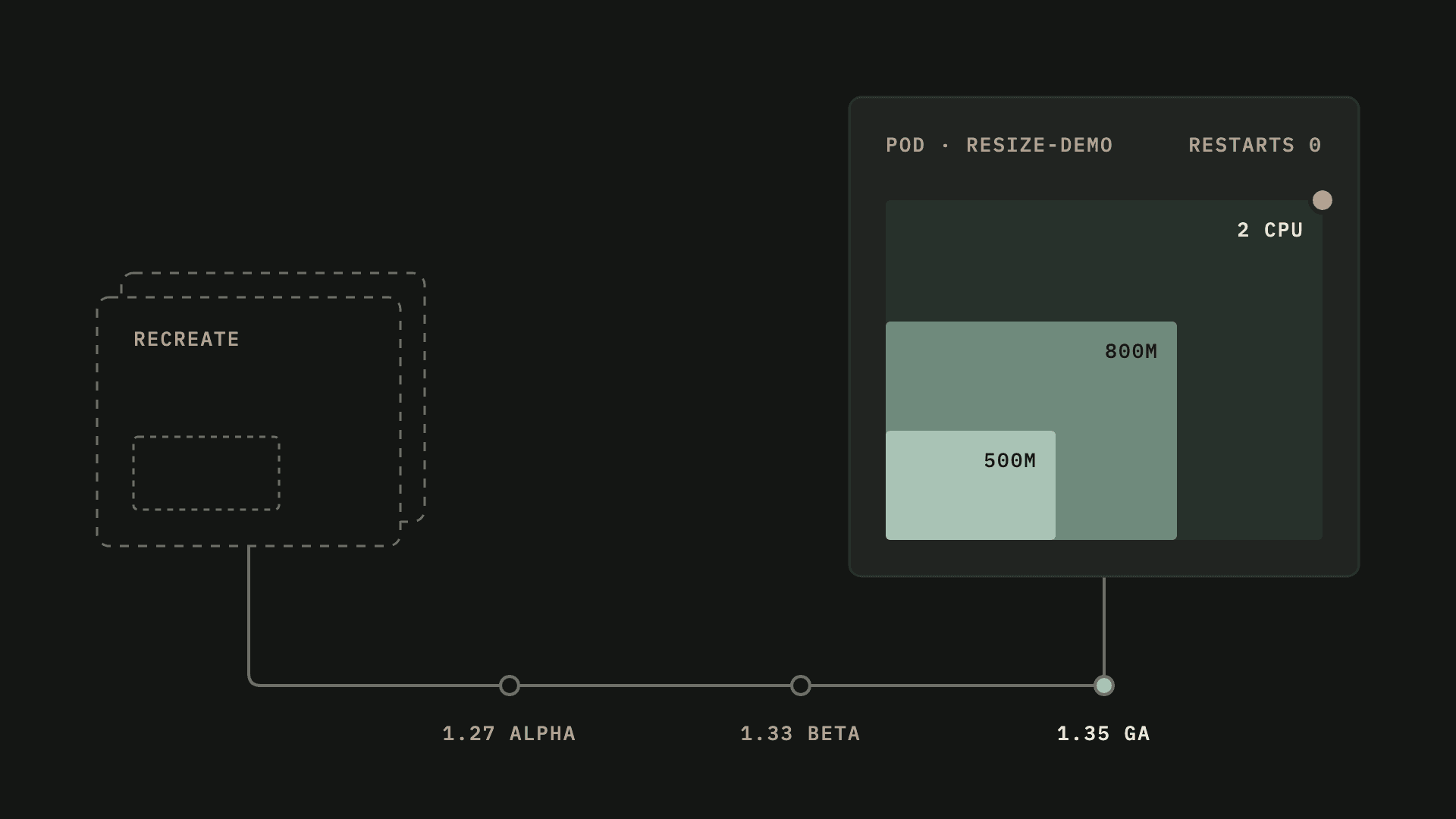
Kubernetes 1.35 finally makes in-place Pod resize a stable feature. [1] That might not sound exciting at first, until you remember how often “just change the resources” used to mean restarting Pods, breaking caches, or disrupting stateful workloads. Ask me how I know. 🙃
In-place resize changes that model. It lets Kubernetes adjust CPU and memory on a running Pod, sometimes without even restarting the container. Getting there took years of design work and several API revisions. In this post, I want to walk through that journey, explain how the feature actually works under the hood, and talk about where it genuinely helps and where it still does not.
History and Evolution of In-Place Pod Resize
In-place Pod resize did not appear fully formed. It went through several iterations before reaching a shape that fits Kubernetes’ scheduling and runtime model.
The core problem was clear early on. CPU and memory are properties of a running workload, but Kubernetes treated them as immutable Pod attributes. Changing them required recreating the Pod, even when the workload itself could have continued running safely. The challenge was making those resources mutable without breaking scheduling guarantees, node stability, or workload expectations.
Kubernetes 1.27: Alpha and first usable implementation
Kubernetes 1.27 introduced in-place Pod resize as an alpha feature. [2] It was disabled by default and explicitly marked experimental.
At this stage, the feature focused on the minimum viable capability. CPU and memory requests and limits could be updated on a running Pod without deleting it. That alone required changes across the API, kubelet, and container runtime layers.
The constraints were strict. Memory limits could only be increased, not reduced. Support was limited to certain container types. The feature required enabling the InPlacePodVerticalScaling feature gate manually. None of this was accidental. The goal was to validate the mechanics before committing to a stable API.
Alpha answered a narrow question: can the kubelet and runtime safely apply new resource limits to an existing container while keeping the Pod intact.
Kubernetes 1.33: Beta and API stabilization
In Kubernetes 1.33, in-place Pod resize graduated to beta and was enabled by default. [3] This was the point where the feature stopped being a proof of concept and started to look like something that could be relied on operationally.
Most of the important work in this phase was not about adding new capabilities, but about tightening the API surface and making resize behavior explicit, observable, and harder to misuse.
The beta release introduced major API changes and improvements:
-
Dedicated
resizesubresourceResource updates must be performed through a new Pod subresource,
resize, for example usingkubectl patch pod <name> --subresource=resize. In earlier versions, resource changes were applied by patching the Pod spec directly, which blurred the line between immutable and mutable fields. Making resize a distinct subresource clarified intent and avoided accidental live resizes as a side effect of generic Pod updates. -
Pod Conditions for resize status
Kubernetes shifted from an ambiguous
status.resizefield (used in alpha) to using Pod Conditions to track resize progress.Two conditions were introduced:
PodResizePending, used when a resize request cannot be satisfied immediately, with reasons such asInfeasibleorDeferred.PodResizeInProgress, used while the kubelet is actively applying resource changes.
This change made resize behavior visible in a way that could be monitored and automated reliably.
-
Support for sidecar containers
Early implementations focused primarily on main containers. Beta added support for in-place resizing of sidecar containers as well. This was necessary for real-world deployments where sidecars are long-running and often resource-sensitive.
-
Stability and kubelet hardening
Much of the beta work focused on correctness under failure. Kubelet state tracking around resource updates was reworked to survive restarts using checkpoint files, reducing the risk of inconsistent state after node disruption. The Container Runtime Interface (CRI) was extended with more robust calls for updating container resources, closing several edge cases seen in earlier iterations.
-
Performance improvements
The Pod Lifecycle Event Generator (PLEG) was optimized to detect and apply resize events more quickly. This reduced the delay between a resize request being issued and the kubelet acting on it.
-
Feature gate enabled by default
The
InPlacePodVerticalScalingfeature gate was switched on by default in 1.33. While the feature was still beta, this signaled confidence that the design was stable enough for broad testing and non-production use without special cluster configuration.
Taken together, these changes set the shape of the API that GA would later stabilize. Alpha proved the idea. Kubernetes 1.33 made the behavior explicit and observable enough to use with confidence.
Kubernetes 1.35: GA and removal of key restrictions
Kubernetes 1.35 promoted in-place Pod resize to GA. At this point, the feature stopped being experimental or provisional and became a supported part of the platform for production clusters.
Most of the underlying mechanics were already in place by beta. The GA release focused on removing long-standing restrictions, tightening behavior under pressure, and improving operational visibility.
The jump from beta to GA included some important final updates:
-
Memory limit reduction
Earlier versions only allowed memory limits to be increased. Reducing a container’s memory limit in place was disallowed to avoid evictions and immediate OOM kills. Kubernetes 1.35 lifts this restriction. Memory limits can now be decreased in place, subject to best-effort safety checks. The kubelet will only apply a downward resize if the container’s current memory usage is below the new requested limit at the time of the operation. This does not eliminate risk entirely. A usage spike after the resize can still trigger an OOM kill. It does, however, make memory rightsizing possible without forcing a Pod restart.
-
Priority-based handling of pending resizes
When a node cannot satisfy all resize requests immediately, the kubelet now applies a defined ordering instead of handling them opportunistically. Resize requests are prioritized based on Pod priority class, QoS class, and how long the request has been deferred, with older requests handled first. This matters in clusters where resizes are frequent and node capacity is heavily utilized, and it avoids low-priority workloads blocking more critical ones.
-
Pod-level resource API (alpha)
Kubernetes 1.35 also introduced Pod-level resources as a new alpha feature. This is a separate, opt-in capability that allows resource limits to be specified at the Pod level, aggregating all containers, via
spec.resources. Pod-level resources are gated behind the feature gates ofPodLevelResourcesandInPlacePodLevelResourcesVerticalScalingand remain alpha in 1.35. While related, this is distinct from container-level resizing. Pod-level resources complement in-place resize by bounding total Pod resource usage, but they are still early. The rest of this article focuses on container-level resizing, which is stable and production-ready. -
Observability improvements
The GA release added new events and metrics related to in-place resize operations. The kubelet now emits events when a resize is attempted, deferred, or fails, and exposes metrics that reflect resize activity. This closes an important gap for operators who need to understand why a resize did not happen, especially under node pressure.
Taken together, the GA release does not introduce a new model. It removes the last major constraints and makes the existing one safe to depend on. With that context in place, I will now try to show how in-place resizing actually works inside the control plane and on the node.
How In-Place Pod Resize Works Under the Hood
Historically, Kubernetes treated a Pod’s resource requests and limits as immutable once the Pod was running. Any change required destroying and recreating the Pod, often through a Deployment rollout. In-place Pod resize changes this by allowing CPU and memory resources to be updated on an existing Pod.
Making that possible without breaking scheduling guarantees or node-level isolation required coordinated changes across several parts of the system. The kubelet, the scheduler, and the container runtime all play a role. I'll go through the control flow and the responsibilities of each component during an in-place resize.
Resize workflow overview
At a high level, an in-place resize follows a predictable sequence. The Pod remains bound to the same node throughout, and no rescheduling occurs.
-
Resize request is issued
A resize starts when a user or controller updates a Pod’s resource requirements through the
resizesubresource. This is an explicit action and distinct from patching the Pod spec directly.For example, we can increase a container’s CPU allocation with a command like:
bash kubectl patch pod mypod --subresource=resize -p '{ "spec": { "containers": [ { "name": "app", "resources": { "requests": { "cpu": "2" }, "limits": { "cpu": "2" } } } ] }}'The API server validates the request in the same way it validates other resource changes. It checks namespace quotas, limit ranges, and basic correctness. If the request is valid, the updated Pod spec is persisted to
etcd.No new Pod is created, and the Pod is not rescheduled.
-
API server updates the Pod object
Patching the resize subresource results in a new Pod spec generation with updated resource values. From the control plane’s perspective, this is a normal object update.
The scheduler does not attempt to place the Pod again, since it is already assigned to a node. However, the scheduler will later take the updated resource intent into account when evaluating node capacity for other Pods.
The kubelet running on the node hosting the Pod is notified of the change through the standard watch mechanism.
-
Kubelet evaluates node feasibility
Once the kubelet observes the updated Pod spec, it determines whether the node can satisfy the new resource request.
If sufficient CPU and memory are available, the kubelet proceeds with the resize. If not, the kubelet does not evict other Pods or take corrective action on its own.
Instead, the Pod is marked with a
PodResizePendingcondition. The condition includes a reason:Infeasibleif the requested resources exceed what the node can ever provideDeferredif the request might become feasible later, for example if other Pods terminate
While a resize is pending, the Pod continues running with its existing resource allocation. The kubelet periodically retries deferred resizes when node resources change. Multiple pending resizes are ordered by Pod priority class, QoS class, and how long the request has been waiting.
These conditions are visible in the Pod status, which makes pending or blocked resizes observable to users and automation.
-
Kubelet applies resource changes through the container runtime
When a resize can proceed, the kubelet applies the new resource values using the Container Runtime Interface (CRI).
On Linux, this means updating cgroup parameters such as CPU quotas and memory limits for the affected container. The kubelet issues a call like
UpdateContainerResourcesto the runtime, passing the new values.The runtime, whether
containerdorCRI-O, updates the kernel cgroup configuration for the container. For CPU increases and most memory increases, this happens without stopping the container process.From Kubernetes 1.35 onward, the CRI also supports updating Pod sandbox resources, which improves behavior on some platforms and prepares the ground for better Windows support.
-
Container restarts when required
Not all resource changes can be safely applied without restarting a container. Kubernetes exposes this explicitly through the per-container
resizePolicy.Each resource type can specify one of two policies:
NotRequired, which applies the new cgroup limits without restarting the containerRestartContainer, which restarts the container to ensure the new limits take effect
CPU resizes typically use
NotRequired. Memory resizes are more nuanced. Some runtimes and applications, such as the JVM, do not adjust internal memory limits dynamically. Increasing memory without a restart may not be effective, and decreasing memory may be unsafe.When
RestartContaineris specified, the kubelet applies the new limits and then restarts only the affected container. Other containers in the same Pod are not restarted. The Pod itself remains intact, including its IP address and volumes. -
Pod status and scheduler accounting are updated
As the resize progresses, Kubernetes updates the Pod’s status to reflect both intent and reality.
Each container status includes resource information that shows the desired, allocated, and actual resources. While a resize is in progress, the
PodResizeInProgresscondition is set. Once the resize completes, the condition is cleared.If a container was restarted as part of the resize, its
restartCountis incremented, which can be observed through standard tooling.The scheduler uses this status information to maintain safe cluster-level accounting. During a resize, it considers the maximum of desired, allocated, and actual resources when deciding whether new Pods can fit on the node. This prevents overcommit during the window where a resize has been requested but not yet fully applied.
-
Resize completes
At this point, the Pod is running with its new resource allocation. No rescheduling occurred, no Pod identity changed, and no volumes were reattached.
From the application’s perspective, the resize may be completely transparent, unless a container restart was required. Kubernetes emits events throughout this process, which can be used for monitoring and debugging.
The kubelet’s role and guarantees
The kubelet is responsible for enforcing in-place resizes while preserving node stability.
If a resize is deferred, the kubelet retries it when node resources change. Retry ordering respects Pod priority and QoS, which ensures that higher-priority workloads are not waiting behind lower-priority ones.
Resize state is checkpointed to disk. If the kubelet restarts mid-resize, it can recover the last known state and continue. This avoids leaving Pods in partially applied configurations.
The kubelet never violates node capacity. If resources are not available, the resize remains pending indefinitely. Kubernetes does not currently preempt other Pods to satisfy a resize request, even for high-priority workloads.
QoS class is fixed at Pod creation and cannot change as a result of resizing. A Guaranteed Pod must remain Guaranteed. A BestEffort Pod cannot gain requests. Resize requests that would violate these invariants are rejected.
Scheduler and control plane considerations
The scheduler does not move Pods to new nodes as part of an in-place resize. The operation is strictly local to the node hosting the Pod.
If a resize cannot be satisfied, the Pod remains where it is with its original resources. It is up to the operator or higher-level tooling to decide whether to delete and recreate the Pod elsewhere.
The API server’s role is limited to validation and persistence. It does not orchestrate the resize. Controllers such as Deployments and StatefulSets do not currently perform in-place resizes automatically. Updating a Pod template still results in new Pods being created according to the rollout strategy.
In-place resize is therefore typically driven by direct user action or by specialized controllers such as vertical autoscalers.
Limitations and caveats
Even as a GA feature, in-place Pod resize has clear boundaries:
-
Only
CPUandmemorycan be resized. Other resources such asGPUs,hugepages,ephemeral storage, and extended resources remain immutable after Pod creation. -
In-place resizing is fully supported on Linux nodes. Windows nodes do not support in-place resource updates as of Kubernetes 1.35.
-
Pods using static CPU or memory manager policies cannot be resized in place, since those policies rely on fixed allocations.
-
If a resize triggers a container restart, that container experiences a full stop-start cycle. Memory state is lost, and applications must tolerate the restart. Other containers in the Pod are unaffected.
- Finally, in-place resize does not allow changing a Pod’s QoS class. All resize operations must remain within the bounds of the original spec.
In practice, these constraints define where in-place resize is a good fit. When used with those limits in mind, it avoids Pod recreation in cases where restarting a workload would previously have been the only option.
API Design and Usage
From a user’s perspective, in-place Pod resize introduces a small set of API changes rather than a completely new workflow. Most of the complexity lives in the kubelet and scheduler. The API surface is intentionally narrow.
In this section I'll try to show what actually matters when enabling and using the feature in Kubernetes 1.35.
Feature gates and client requirements
The core feature gate for in-place Pod resize is InPlacePodVerticalScaling. As of Kubernetes 1.33, it is enabled by default and considered stable. On a brand new 1.35 cluster, no additional configuration is required.
If you are working with older clusters where the feature was disabled by default, the gate must be enabled consistently across the API server, controller manager, and kubelets. For 1.35 and later, this is only relevant when upgrading legacy environments.
Working with in-place resize also requires a reasonably recent kubectl version. Explicit support for the resize subresource was added in kubectl 1.32. Clients older than that will not recognize the subresource and will fail with validation errors. In practice, keeping kubectl aligned with your cluster version avoids most issues here.
Pod-level resources, introduced as an alpha feature in 1.35, are controlled by a separate feature gate (namely, PodLevelResources) and are not covered further in this section.
Pod spec changes: resizePolicy and status fields
In-place resize adds a small number of fields to the Pod API that control behavior and expose state.
resizePolicy on containers
Each container can declare how it should behave when a specific resource is resized. This is done through the resizePolicy field on the container spec.
Policies are defined per resource name. At the moment, valid resource names are cpu and memory. Each resource can specify one of two policies:
NotRequired, which applies the new resource limits without restarting the containerRestartContainer, which restarts the container so the new limits take effect cleanly IfresizePolicyis omitted, the default isNotRequiredfor both CPU and memory.
Most workloads leave CPU as NotRequired. Memory is more application-specific. Runtimes that cannot safely adapt to changing memory limits often require RestartContainer to avoid undefined behavior.
A minimal example looks like this:
spec: containers: - name: nginx image: nginx:1.25.1-alpine resizePolicy: - resourceName: cpu restartPolicy: NotRequired - resourceName: memory restartPolicy: RestartContainer resources: requests: cpu: "500m" memory: "256Mi" limits: cpu: "500m" memory: "256Mi"In this configuration, CPU changes will be applied in place, while memory changes will trigger a container restart.
If a Pod’s overall restart policy is Never, all container resize policies must be NotRequired. Kubernetes will reject any resize that would violate the no-restart guarantee.
Resource state in Pod status
Once a Pod is running with in-place resize enabled, resource information appears in the container status as well as in the spec.
spec.containers[].resourcesrepresents the desired state.status.containerStatuses[].resourcesreflects the resources actually applied by the kubelet.status.containerStatuses[].allocatedResourcesis used internally for scheduler accounting during transitions.
After a successful resize, the values in status.containerStatuses[].resources converge to match the spec. Watching this field is the most reliable way to tell when a resize has taken effect.
Resize progress is also surfaced through Pod Conditions. Two conditions may appear:
PodResizePending, when a resize cannot be satisfied immediatelyPodResizeInProgress, while the kubelet is actively applying the change
Both include a reason and message that explain what is happening. These conditions are cleared once the resize completes or is resolved.
Performing a live resize
In-place resize always targets the resize subresource. Attempting to patch resource fields on the main Pod spec will be rejected, since those fields are normally immutable.
Patching a running Pod
The most direct way to resize a Pod is with kubectl patch and the resize subresource.
For example, to raise a container’s CPU request and limit from 700m to 800m:
kubectl patch pod resize-demo --subresource=resize -p '{ "spec": { "containers": [{ "name": "pause", "resources": { "requests": {"cpu": "800m"}, "limits": {"cpu": "800m"} } }] }}'After issuing the patch, the Pod spec will reflect the new values immediately. The status will update once the kubelet applies the change. If no restart is required, the container’s restartCount will remain unchanged.
Editing in place
For ad hoc adjustments, kubectl edit pod <name> --subresource=resize can be used. This opens an editor with only the fields that are allowed to change. Saving the file sends the resize request.
This is convenient for manual tuning, but easy to misuse if the --subresource=resize flag is not used. Without it, resource fields will be read-only.
Applying from a manifest
In GitOps or CI workflows, resizing can be done with server-side apply:
kubectl apply -f updated-pod.yaml --subresource=resize --server-sideOnly the mutable fields are merged. The manifest must not attempt to change immutable parts of the Pod spec.
It is important to note that higher-level controllers do not use this path by default. Updating a Deployment or StatefulSet template with new resources will still result in Pod replacement. To perform true in-place resizes, Pods must be targeted directly, or controlled by components that are resize-aware.
One notable exception is the Vertical Pod Autoscaler (VPA). When configured with an in-place update mode, it will attempt to resize Pods directly and fall back to recreation only when necessary.
Example end-to-end flow
To tie it all together, consider this Pod spec with resizable resources (After creating the Pod, CPU can be increased in place without interruption. Memory increases will trigger a restart of the app container only.):
apiVersion: v1kind: Podmetadata: name: resize-demospec: containers: - name: app image: registry.k8s.io/pause:3.8 # Allow CPU to change without restart, but memory requires a restart resizePolicy: - resourceName: cpu restartPolicy: NotRequired - resourceName: memory restartPolicy: RestartContainer resources: requests: cpu: "500m" memory: "200Mi" limits: cpu: "500m" memory: "200Mi"-
Deploy the Pod:
kubectl apply -f pod.yaml. The Pod starts with0.5 CPUand200Mi memory. It's inGuaranteedQoS (requests == limits) in this example. -
Increase CPU in-place:
kubectl patch pod resize-demo --subresource=resize -p '{ "spec": { "containers": [ { "name": "app", "resources": { "requests": { "cpu": "800m" }, "limits": { "cpu": "800m" } } } ] }}'This raises CPU to 0.8 cores. Kubelet on the node updates cgroups without restarting the container. Checking kubectl get pod resize-demo -o yaml after a couple seconds should show the CPU updated in both spec and status, and restartCount still 0.
- Increase Memory (requires restart):
kubectl patch pod resize-demo --subresource=resize -p '{ "spec": { "containers": [ { "name": "app", "resources": { "requests": { "memory": "300Mi" }, "limits": { "memory": "300Mi" } } } ] }}'This raises memory to 300Mi. Because app container’s memory resizePolicy is RestartContainer, the kubelet will gracefully stop and restart the app container to apply the new memory limit. After patching, watch the Pod’s status: it may for a moment go through a ContainerCreating or Running (restarting) phase for that container. Once done, status.containerStatuses[0].resources will show 300Mi and restartCount will have incremented by 1.
- Handle Impossible Cases:
Just to test it out, when I patch an absurd amount of CPU cores to the app container in my resize-demo Pod, such as 1000 cores, the Pod will get a PodResizePending with reason Infeasible.
kubectl patch pod resize-demo --subresource=resize -p '{ "spec": { "containers": [ { "name": "app", "resources": { "requests": { "cpu": "1000" # Notice 1000 instead of 1000m }, "limits": { "cpu": "1000" } } } ] }}'Check it out via k get po resize-demo -oyaml.
The condition message will say something like "Node didn't have enough capacity".
This is how we know the request can’t be satisfied on the node. We could then decide to revert the request or delete the Pod to reschedule it manually on a bigger node.
Best Practices for Using In-Place Resize
-
Use gradual, step by step adjustments and not crazy jumps: Don't dramatically increase resources in one go beyond what the node can handle. If you need to double or triple resources, consider ensuring the node has buffer or using cluster autoscaler to pre-provision capacity, otherwise your pod will sit in
Pendingstate. -
Monitor Pod Conditions: A script or pipeline that patches Pods could also watch for the
PodResizePendingcondition to clear or to log why it's deferred. -
Leverage Autoscalers: When possible, delegate resizing decisions to an autoscaler (Horizontal or Vertical Pod Autoscaler). The VPA in particular is becoming resize-aware. With the "Auto" mode (
InPlaceOrRecreate) it will attempt an in-place update first and only fall back to recreating the Pod if absolutely necessary. This basically gives us automatic vertical scaling with minimal disruption. -
Plan for Restarts (if needed!): If your app is not 100% dynamic, that's fine. You can still benefit by using restart-on-resize. For instance, a memory-intensive app like a database might require a restart to allocate a larger buffer pool. Doing that with in-place resize (with restart) still keeps the Pod consistent! Same identity, and it avoids the overhead of re-scheduling and re-attaching storage to that Pod (unlike a full Pod replace would). This is still a HUGE WIN.
-
Resource Quotas and Limits: Check your namespace's
ResourceQuotasandLimitRanges. A resize is still technically a spec change. If it violates a quota (example: we try to give a Pod more CPU than allowed per quota), t will be denied by the API server just like a new Pod creation would. Make sure that any such policies are updated to accomodate the maximum sizes you intend to allow. -
Testing: Test in-place resize with your specific workload in a staging environment. Watch how your application behaves, especially for memory downscaling. Some apps might need a tweak (like making Java respect
cgrouplimits for heap sizing, or making sure a Python app frees memory back to the OS -- I am planning on writing a technical deep-dive on JVM-based applications and "gotcha"s, tweaking the heap size, or playing with the -Xmx settings. If you think you would be interested in such a post, make sure to follow! 👀)
Now that I've discussed how to use the feature, I want to give some example scenarios where in-place Pod resizing is particularly useful.
Real-World Use Cases and Examples
In-place Pod resize unlocks new possibilities for operational efficiency, cost optimization, and responsiveness. Below are, IMHO, some of the most important use cases showing how Kubernetes users can leverage this feature. I'll cover examples in Java, Go, and Python applications, as well as how autoscalers and CI/CD processes can utilize vertical scaling without restarts.
- Startup Boost for Java Applications: Java services often require a CPU surge during startup (think JIT compilation, class loading, etc) but need far less CPU in steady conditions. Previously, what we would do is over-allocate CPU to avoid slow starts or rely on the VPA to kill and restart Pods with new limits; both are suboptimal. With in-place resize, we can deploy a Java app with a high CPU request initially and then scale it down in-place once startup completes. (See) For example, a Java webserver might start with 2 vCPUs for a fast bootstrap, and after a few minutes, an automated job or the VPA can reduce it to 0.5 vCPU without interrupting the service. This pattern (sometimes called "CPU burst" or startup boost) is now achievable seamlessly.
-
Dynamic Web Services in Go and Python: Many stateless services written in Go or Python have varying CPU/memory needs depending on load. HPA can add more replicas, but if your service scales better vertically (or if you hit replica limits), in-place resize is like a Christmas present. Go and Python apps typically handle additional CPU or memory with no special tuning, meaning you can add resources to a live container and it will immediately take advantage of them. For example, a Python Flask API under spike load could be given an extra 1 GB of memory to expand in-memory caches instead of spawning new replicas. Or a Go service doing image processing might be granted an extra core during a batch of heavy requests, then scaled down later. Since neither Go nor Python have a fixed heap or similar, the app just experiences less GC pressure or faster execution when more resources become available. This yields a more elastic response to traffic bursts without overshooting on replicas (which can add latency while new pods start).
-
Stateful Services and Databases 🔥: In-place resizing truly changes the game for stateful workloads that are costly to restart. Databases, caches, and stateful streaming apps can rarely be simply killed and relaunched without impact. Suppose you have a PostgreSQL Pod that suddenly needs more memory to execute a complex query or to load a larger working set into cache. We can now bump up its memory limit on the fly and let the query finish faster, then potentially scale it back down later. All of this happens with zero connection drops. The DB keeps running during the resize. Same story with Redis.
-
Batch Jobs and AI/ML Workloads: Batch processing jobs or ML model training often have variable resource needs during their lifecycle. For instance, a TensorFlow training Pod might not need much CPU during data loading but then require a lot of CPU and memory during the training phase with a larger model. If such jobs run as long-lived Pods, we can now write a simple script that handles resources increases right when the heavy lifting begins. The opposite of this angle is also true: if a job finishes early or enters a less intensive phase, we could simply dial down its resources to make room on the node for others.
-
Sidecar Proxy Scaling 🔥: In microservice architectures with service mesh sidecars (ie Envoy in Istio), the sidecar container might at times become a bottleneck. Instead of evicting the Pod or over-provisioning every sidecar for worst-case load, we can now resize the sidecar container's resources in-place when needed.
-
Autoscalers Leveraging Vertical Resizing: I already touched on this earlier, but I can't emphasize this enough: the Vertical Pod Autoscaler (VPA) can now operate in a mode that uses in-place resize by default. In Kubernetes 1.35, VPA's
UpdateMode: InPlaceIfPossible(beta) will try to patch running pods with new recommendations instead of evicting them. This means you can get automated vertical scaling with much less disruption. For workloads where horizontal scaling is not applicable, VPA with in-place updates can continuously right-size resources (up to set limits) to optimize usage.
These examples are just a few. I can go on and on (cost optimization for night/day workloads, CI/CD pipeline resource management, etc) about how flexible and powerful in-place Pod resizing can be. Whether it’s avoiding downtime for critical stateful apps, improving efficiency of autoscaling, or saving money by cutting down excess resources, the feature opens up new optimization opportunities. It’s important to always weigh the complexity: automated resizing introduces another layer of resource management logic. But I truly believe that for many scenarios the benefits far outweigh the costs.
Conclusion
The graduation of In-Place Pod Resize to GA in Kubernetes 1.35 is, IMHO, one of the (if not the) most exciting developments. We can now basically treat CPU and memory as elastic properties of a running Pod, which opens up a realm of new optimization strategies for both performance tuning and cost savings.
To recap, I covered:
- History (the journey from 1.27 -> 1.33 -> 1.35)
- Technical Deep-Dive
- API Usage
- Use Cases
- Performance
For now, if you manage Kubernetes workloads, give in-place Pod resizing a try on some non-critical workloads or in staging. Play with scaling pods up and down and see how your applications behave. With proper safeguards, you can then roll it out to production and reap the benefits of a more flexible and efficient cluster.
Further Reading & References
- 💡 Kubernetes 1.35: In-Place Pod Resize Graduates to Stable (Natasha Sarkar)
- Kubernetes Docs: Resize CPU and Memory Resources assigned to Containers
- Kubernetes v1.33: In-Place Pod Resize Graduated to Beta (Tim Allclair)
- Kubernetes 1.27: In-place Resource Resize for Kubernetes Pods (alpha) (Vinay Kulkarni)
- KEP-1287: In-place Update of Pod Resources - (for those who want to read the design rationale and future considerations)
- AEP-4016: Support for in place updates in VPA
- AEP-7862: Support CPU Startup Boost in VPA
- 🔥 Video: In-Place Pod Resize in Kubernetes: Dynamic Resource Management Without Restarts (Tim Allclair & Mofi Rahman)
- Video: Unleash the Power of Inplace Pod Resource Resizing for Startup and Cost Optimization (Zhang Zhen & Yuxing Yuan)
- Video: To Infinity and Beyond: Seamless Autoscaling with in-Place Resource Resize for Kubernetes Pods (Aya Ozawa & Kohei Ota)
- Video: Resize Your Pods In-Place With Deterministic eBPF Triggers (Pablo Chico de Guzman & Vinay Kulkarni)
- Real-world case study: Kubernetes Optimization Using In-Place Pod Resizing – Halodoc engineering blog on cost savings and implementation details of their resizing scheduler
- In-place Pod resizing in Kubernetes: How it works and how to use it - Palark Blog
- DoiT Engineering Blog: No Restarts, No Disruptions: Seamless Pod Resource updates with In-Place Resizing